
Test all premium features and convert up to 25 emails per folder with the free demo version.
Try the MBOX Converter Tool for free highly recommended before purchase!
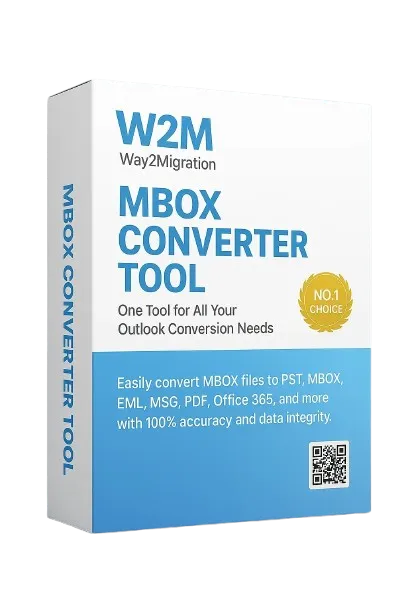
Explore the advanced functionalities and performance benefits that make this MBOX Converter reliable and efficient.
The Way2Migration MBOX Converter allows you to export MBOX data into 30+ file types, including EML, MBOX, MSG, PDF, HTML, CSV, DOCX, PNG, JPG, and more. Enjoy hassle-free compatibility with major platforms such as Thunderbird, Apple Mail, and Gmail.
All essential email elements sender and receiver details, subject lines, attachments, and timestamps are preserved during conversion. Your email hierarchy and folder layout remain unchanged for complete accuracy.
Process multiple MBOX files simultaneously with the Batch Conversion function. This feature saves time, eliminates repetitive tasks, and is ideal for large-scale migrations.
Review your MBOX content before converting including emails, contacts, attachments, and calendars. This ensures accuracy, helps you verify data, and prevents unwanted transfers.
Manage oversized MBOX by dividing them into smaller, organized files. Split by size, date, or folder to improve Outlook performance and avoid data overload.
Choose exactly what to export with custom filters based on date range, sender, recipient, or subject. This helps in focused conversion and reduces unnecessary data load.
Supports both ANSI (old format) and Unicode (new format) MBOX files, making it easy to migrate from older Outlook versions without losing any details.
All attachments, inline images, hyperlinks, and other embedded items are maintained in their original structure and quality. You can also save attachments separately when required.
Designed with a user-friendly interface, the tool ensures smooth operation for both novice and advanced users, requiring no technical expertise.
Directly transfer your MBOX files to Office 365, Gmail, Yahoo Mail, Exchange Server, IMAP, and Thunderbird eliminating manual upload steps.
Convert MBOX files into multiple file formats effortlessly with one smart solution.
Select your preferred license to start your migration journey
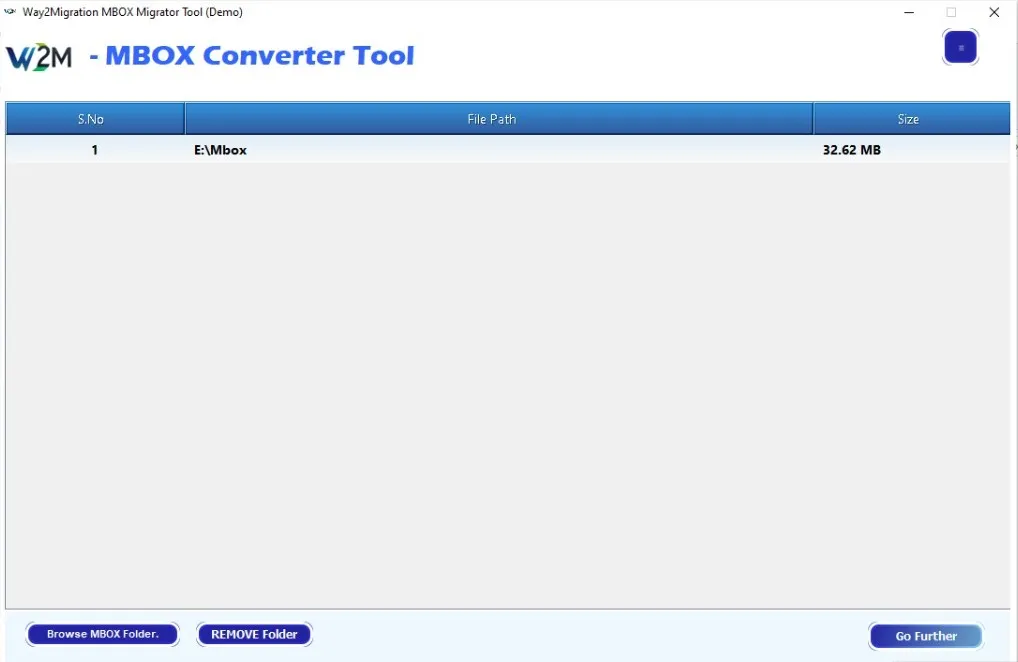
Easily add single or multiple MBOX files or entire folders containing MBOX files.
The tool automatically lists all added MBOX files along with their sizes and paths.
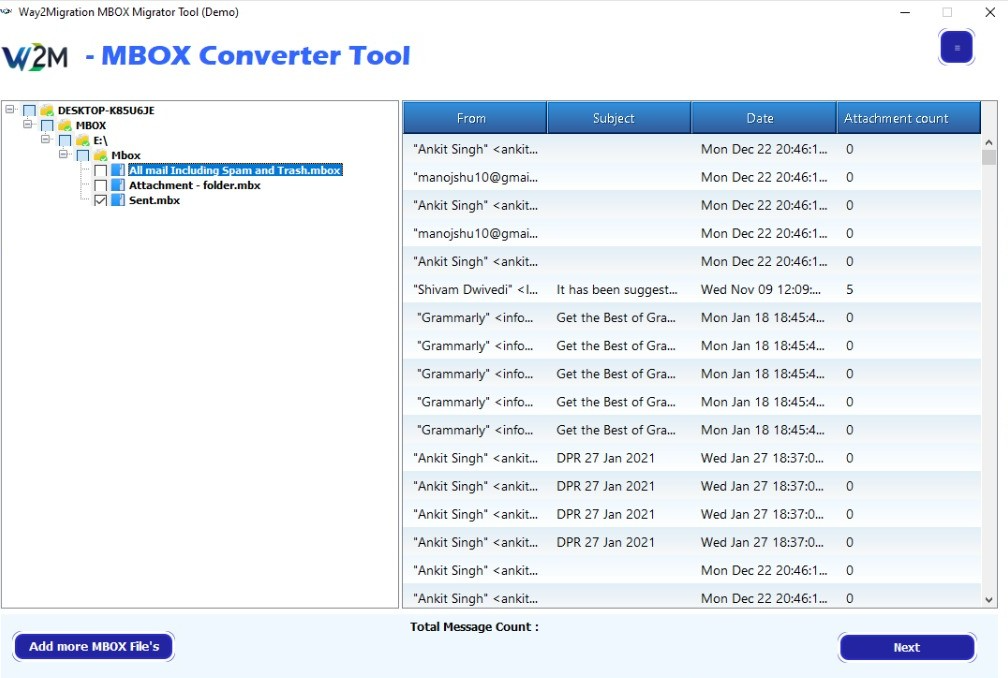
Once the MBOX file is loaded, the tool displays a complete mailbox tree structure.
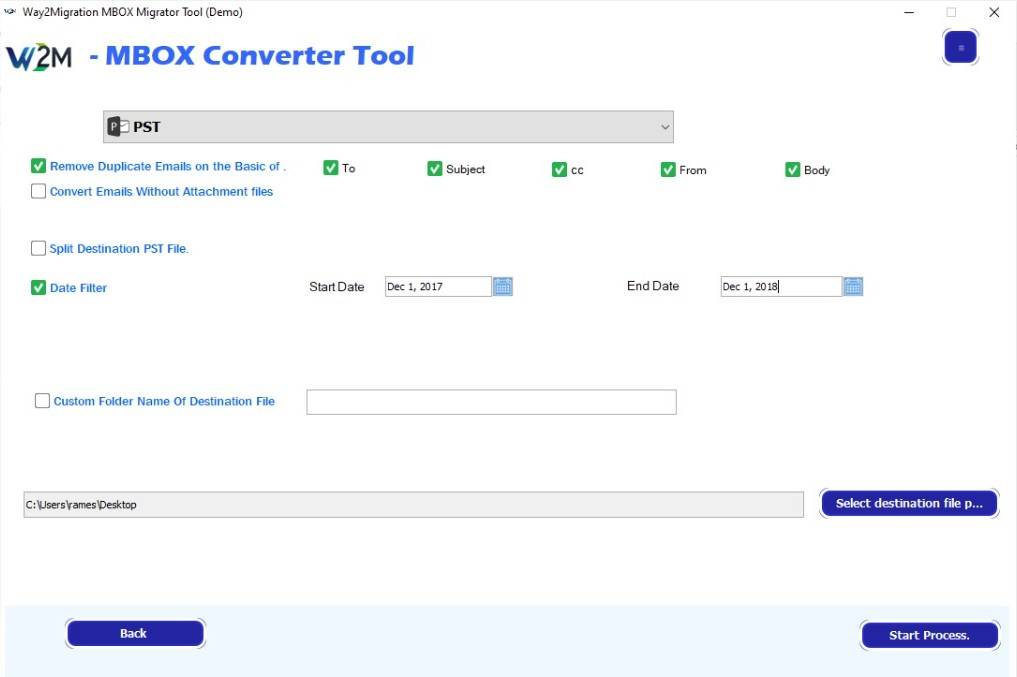
Customize your conversion using advanced filters:
Finally, select the destination path and click “Convert” to start the process.
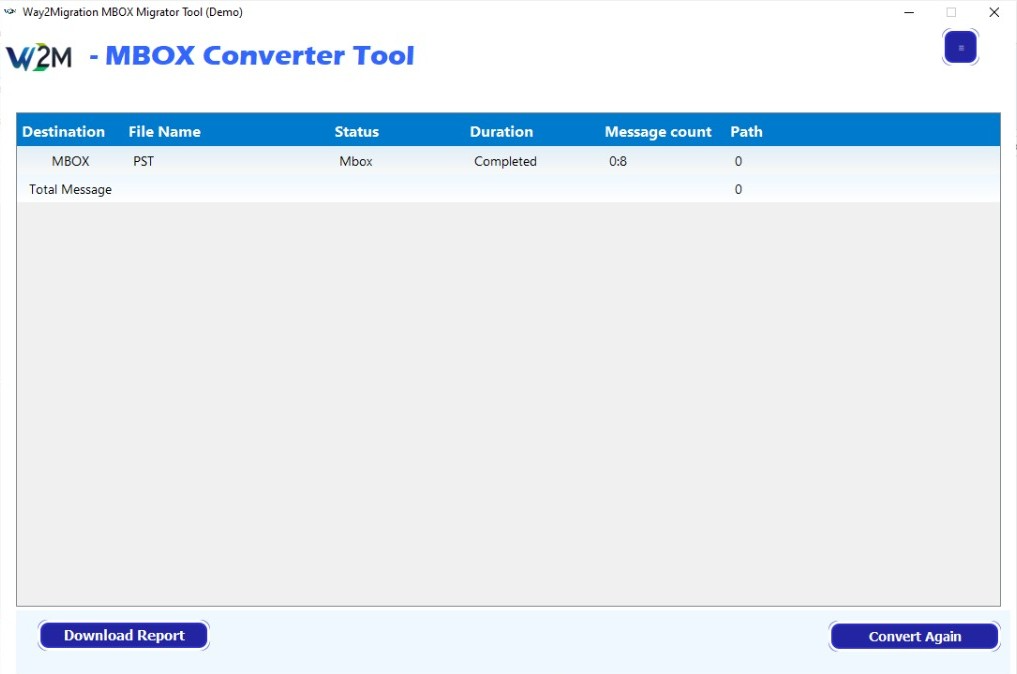
After the process completes, a detailed conversion report is displayed.
| Operating System | Windows 11, 10, 8.1, 8, 7 (32-bit & 64-bit) |
| Processor | Intel® Pentium® 1 GHz or higher |
| RAM (Memory) | Minimum 2 GB (4 GB or more recommended) |
| Hard Disk Space | Minimum 100 MB of free space required for installation |
| Microsoft Outlook | Installation of Outlook is recommended for better PST file compatibility (not mandatory for conversion) |
| Administrative Rights | Required for installation and activation of the software |
| Internet Connection | Recommended for license activation and software updates |
| Other Requirements | Ensure sufficient storage space for saving converted files |
| Security Settings | Temporarily turn off antivirus and Windows Firewall during installation or activation to prevent interference with setup. |
| Features | Free Version | Full Version |
|---|---|---|
| Convert MBOX files to EML, MSG, CSV, MBOX, EMLX, HTML, PDF, DOC, DOCX, DOCM, TIFF, PST PNG, GIF, JPG, etc. | ✔ Available | ✔ Available |
| Fast & Advanced Scanning Modes | ✔ Available | ✔ Available |
| Preview of MBOX Emails & Attachments | ✔ Available | ✔ Available |
| Migrate or Backup Emails Without Attachments | ✔ Available | ✔ Available |
| Remove Duplicate Emails (To, From, Bcc, Subject, Body) | ✔ Available | ✔ Available |
| Maintain Folder Hierarchy | ✔ Available | ✔ Available |
| Naming Convention | ✔ Available | ✔ Available |
| Date Filter | ✔ Available | ✔ Available |
| Import MBOX File to Gmail, Office 365, AOL, IMAP, Yahoo Mail, Thunderbird, etc. | ✔ Available | ✔ Available |
| Supports All Windows Versions (11, 10, 8, 7 – 32/64 Bit) | ✔ Supported | ✔ Supported |
| Convert MBOX Data to Multiple Formats (70+ Options) | 25 Items / Folder | Unlimited Conversion |
| Save & Export MBOX Data | 25 Items / Folder | ✔ Full Export Access |
| Free Updates & Technical Support | ❌ Not Included | ✔ Included |
| Cost | FREE | $29.00 |
Way2Migration MBOX Converter works as an offline desktop application. To export MBOX emails into PDF format, install the tool, load your MBOX files, choose PDF as the output, apply filters if needed, and begin conversion without using any online service.
The software allows exporting MBOX emails to CSV, which can be easily opened in Excel. Email details such as sender, recipient, subject, date, and message content are retained accurately.
Yes. The tool can recover and convert emails from partially corrupted MBOX files, depending on the level of file damage.
Yes. To migrate MBOX emails into Gmail, secure login or app-password authentication is necessary. User credentials are fully protected.
Yes. The converter is designed to handle large MBOX files, including mailboxes exceeding 15GB, subject to system performance.
No. The tool is completely standalone and works without requiring Thunderbird or any other email client.
Yes. The software supports converting MBOX emails into DOC, DOCM, and TXT formats for documentation and record-keeping.
Way2Migration offers high-speed conversion, large file support, multiple export formats, duplicate email removal, and 24×7 expert assistance.
You can convert MBOX files to PST format for Outlook or directly migrate emails to Office 365 using account authentication.
Yes. A free demo version is available, but it has limitations. A license is required for unlimited conversion.
Yes. You can choose to exclude attachments, which helps reduce file size and speeds up the process.
No. The software runs independently and does not require any plugins or extensions.
Yes. MBOX emails can be exported to formats such as PST, PDF, EML, MSG, CSV, HTML, DOC, TXT, EMLX, and MBOX.
Yes. Converted MBOX files can be opened or imported into Mozilla Thunderbird.
Yes. The software supports direct MBOX to Gmail migration via IMAP.
No. It supports Windows 7, 8.1, 10, and 11, both 32-bit and 64-bit versions.
Yes. The tool supports migration to Yahoo Mail, Zoho Mail, Outlook.com, and other IMAP-based email platforms.
No. The licensed version allows unlimited email conversion without any count restriction.
Can I convert or split very large MBOX files like 50GB?
There is no fixed size restriction. Conversion capability depends on your system’s hardware configuration.
No. It works independently and does not rely on Outlook, Thunderbird, or any other email client.
Load the MBOX file into the tool, select EML as the output format, choose a destination folder, and start the conversion.

Error-Free

24*7 Free Live chat Support

Policy

15000+ Customers