
Way2Migration MSG Converter is a powerful, secure, and user-friendly MSG file conversion tool that converts Outlook MSG files into multiple email and document formats without any data loss. This professional MSG email conversion software enables users to easily migrate, back up, and archive MSG files while maintaining original email formatting, metadata, folder hierarchy, and attachments. it also supports direct migration of MSG files to Office 365 and Gmail accounts and allows export to formats such as PST, EML, CSV, DOC, PDF, HTML, and more making it an ideal solution for seamless cross-platform email access and long-term data management.
Test all premium features and convert up to 25 emails per folder with the free demo version.
Try the MSG Converter Tool for free highly recommended before purchase!
Convert MSG emails into 30+ formats, including PST, EML, PDF, HTML, CSV, DOCX, MBOX, and more. Enjoy seamless compatibility with major email clients such as Outlook, Thunderbird, Apple Mail, Gmail, Zoho Mail, and Yahoo Mail.
All crucial email elements sender and receiver details, subject lines, timestamps, attachments, and embedded media are preserved during conversion. The original folder structure and email hierarchy remain intact, ensuring complete accuracy.
Process multiple MSG files simultaneously with the Batch Conversion feature. This saves time, reduces repetitive tasks, and is ideal for large-scale migrations without compromising performance.
View your MSG emails, attachments, and metadata before exporting. This feature ensures data accuracy, helps you verify content, and prevents unwanted or unnecessary transfers.
Handle oversized MSG files efficiently by splitting them into smaller, manageable parts. Split by size, date, or folder to improve performance and avoid potential overload during migration.
Export only the data you need with customizable filters based on sender, recipient, subject, or date range. Focused conversions reduce unnecessary data and make migration more efficient.
Compatible with MSG files from all Outlook versions, including both ANSI (older format) and Unicode (newer format), allowing seamless migration from legacy email clients.
All attachments, inline images, hyperlinks, and embedded media are preserved in their original format and quality. Users also have the option to save attachments separately when needed.
Designed for both beginners and advanced users, the tool provides a simple, guided interface that requires no technical expertise for smooth operation.
Migrate MSG emails directly to cloud platforms such as Office 365, Gmail, Yahoo Mail, Zoho Mail, Exchange Server, and IMAP accounts, eliminating the need for manual uploads.
Convert MSG files into multiple file formats effortlessly with one smart solution.
Select your preferred license to start your migration journey
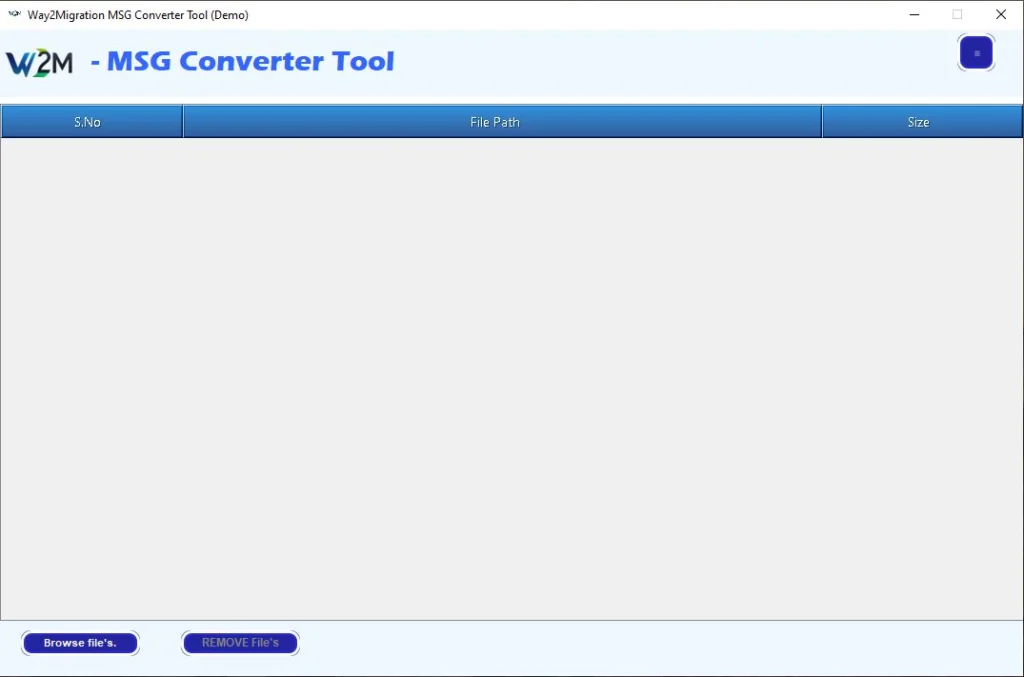
Easily add single or multiple MSG files or entire folders containing MSG files.
The tool automatically lists all added MSG files along with their sizes and paths.
Once the MSG file is loaded, the tool displays a complete mailbox tree structure.
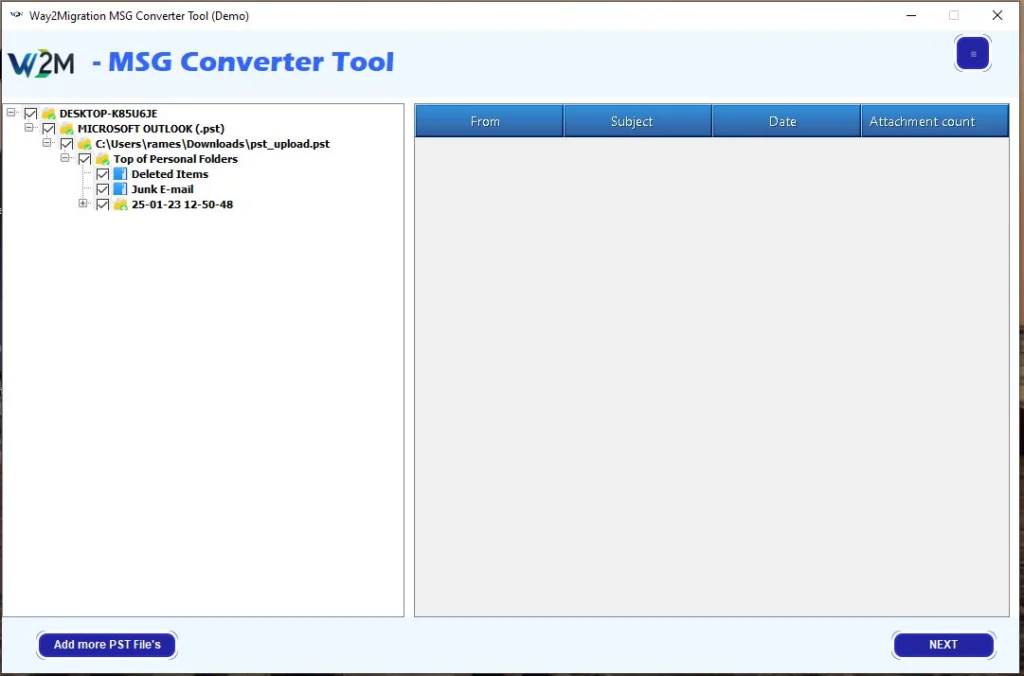
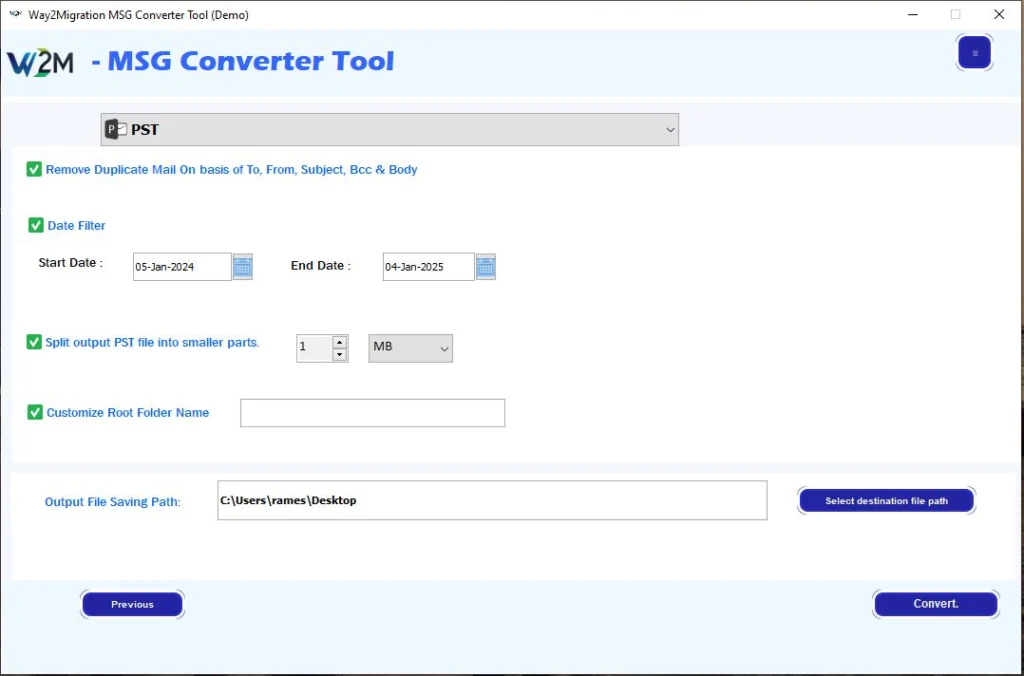
Customize your conversion using advanced filters:
Finally, select the destination path and click “Convert” to start the process.
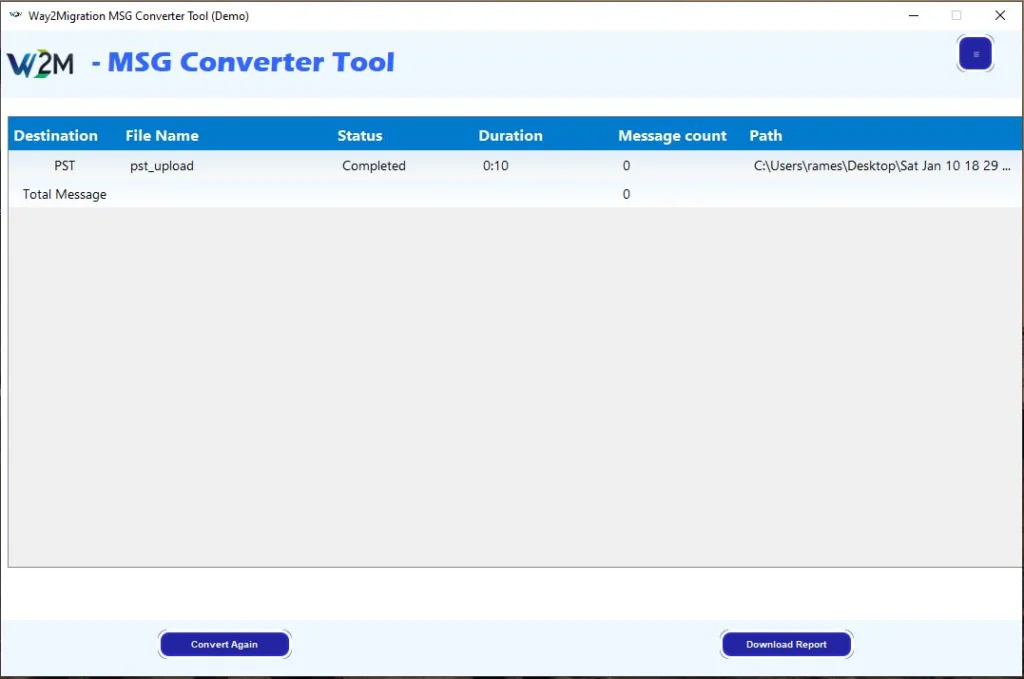
After the process completes, a detailed conversion report is displayed.
| Operating System | Windows 11, 10, 8.1, 8, 7 (32-bit & 64-bit) |
| Processor | Intel® Pentium® 1 GHz or higher |
| RAM (Memory) | Minimum 2 GB (4 GB or more recommended) |
| Hard Disk Space | Minimum 100 MB of free space required for installation |
| Microsoft Outlook | Installation of Outlook is recommended for better PST file compatibility (not mandatory for conversion) |
| Administrative Rights | Required for installation and activation of the software |
| Internet Connection | Recommended for license activation and software updates |
| Other Requirements | Ensure sufficient storage space for saving converted files |
| Security Settings | Temporarily turn off antivirus and Windows Firewall during installation or activation to prevent interference with setup. |
| Features | Free Version | Full Version |
|---|---|---|
| Convert MSG files to EML, MSG, CSV, MBOX, EMLX, HTML, PDF, DOC, DOCX, DOCM, TIFF, PST PNG, GIF, JPG, etc. | ✔ Available | ✔ Available |
| Fast & Advanced Scanning Modes | ✔ Available | ✔ Available |
| Preview of MSG Emails & Attachments | ✔ Available | ✔ Available |
| Migrate or Backup Emails Without Attachments | ✔ Available | ✔ Available |
| Remove Duplicate Emails (To, From, Bcc, Subject, Body) | ✔ Available | ✔ Available |
| Maintain Folder Hierarchy | ✔ Available | ✔ Available |
| Naming Convention | ✔ Available | ✔ Available |
| Date Filter | ✔ Available | ✔ Available |
| Import MSG File to Gmail, Office 365, AOL, IMAP, Yahoo Mail, Thunderbird, etc. | ✔ Available | ✔ Available |
| Supports All Windows Versions (11, 10, 8, 7 – 32/64 Bit) | ✔ Supported | ✔ Supported |
| Convert MSG Data to Multiple Formats (70+ Options) | 25 Items / Folder | Unlimited Conversion |
| Save & Export MSG Data | 25 Items / Folder | ✔ Full Export Access |
| Free Updates & Technical Support | ❌ Not Included | ✔ Included |
| Cost | FREE | $29.00 |
The Way2Migration MSG Converter Tool is a professional software designed to convert and migrate Outlook MSG files to multiple email platforms (like Gmail, Office 365, Yahoo Mail, Zoho Mail, AOL, IMAP) or export them to formats such as PST, PDF, EML, CSV, DOC, HTML, and more. It ensures complete data accuracy and preserves email integrity.
The tool supports over 30 file formats, including PST, EML, PDF, HTML, CSV, DOC, DOCX, MBOX, MSG, and more, making it compatible with major email clients and platforms.
Yes! The Way2Migration MSG Converter allows direct migration to cloud platforms like Gmail, Office 365, Yahoo Mail, Zoho Mail, AOL, Exchange Server, and IMAP accounts.
Absolutely. All attachments, inline images, hyperlinks, email headers, sender and receiver information, timestamps, and folder hierarchy are preserved during conversion.
Yes. The Batch Conversion feature allows you to process multiple MSG files simultaneously, saving time and effort, especially during large-scale migrations.
Yes. The software provides a preview of all MSG emails, attachments, contacts, and calendars, allowing you to select specific items for conversion and ensure data accuracy.
Yes. The tool allows you to split large MSG files by size, date, or folder to make management easier and prevent performance issues.
Yes. You can filter emails by date range, sender, recipient, or subject to export only the data you need, reducing unnecessary load and making the conversion more efficient.
The software supports MSG files from all Outlook versions, including both ANSI (older format) and Unicode (newer format), ensuring compatibility with legacy and modern email systems.
Yes. The Way2Migration MSG Converter Tool has a user-friendly interface that requires no technical expertise. Both novice and advanced users can navigate the software with ease.
Yes. All conversions are performed locally on your system, ensuring your email data remains private and secure. The tool does not upload any data to external servers unless migrating to cloud platforms you authorize.
Yes. The software provides an option to save attachments individually if required, while keeping the original email structure intact.
Currently, the Way2Migration MSG Converter Tool is compatible with Windows OS. For Mac, we recommend contacting our support team for guidance or updates on Mac compatibility.
Yes. A free trial version is available so you can test the features and conversion quality before purchasing the full version.
Our dedicated support team is available via email and live chat on the official Way2Migration website to assist you with any technical or usage-related questions.

Error-Free

24*7 Free Live chat Support

Policy

15000+ Customers